Q1. What is P2M.db?
P2M.db is a harmonized collection of single-cell and bulk transcriptomic datasets from primary and metastatic cancers. The website helps users find studies, inspect dataset characteristics and annotations, explore precomputed analysis results, and download available files for reuse.
Browse datasets: Search by cancer type, primary site, metastatic site, accession, or sequencing platform. Dataset records provide links to original repositories and publications.
Explore results: Eight single-cell and five bulk modules display dataset characteristics and analysis outputs, including differential expression, functional enrichment, cell communication, cell states, immune infiltration, and survival results where available.
Interpret the groups: Tissue origin and clinical metastasis status are different attributes. TCGA M0/M1 comparisons describe patient metastasis status; M1 does not by itself identify a specimen collected from a metastatic lesion. Check the original study design before interpreting or reusing a comparison.
Q2. How do I find and download a dataset?
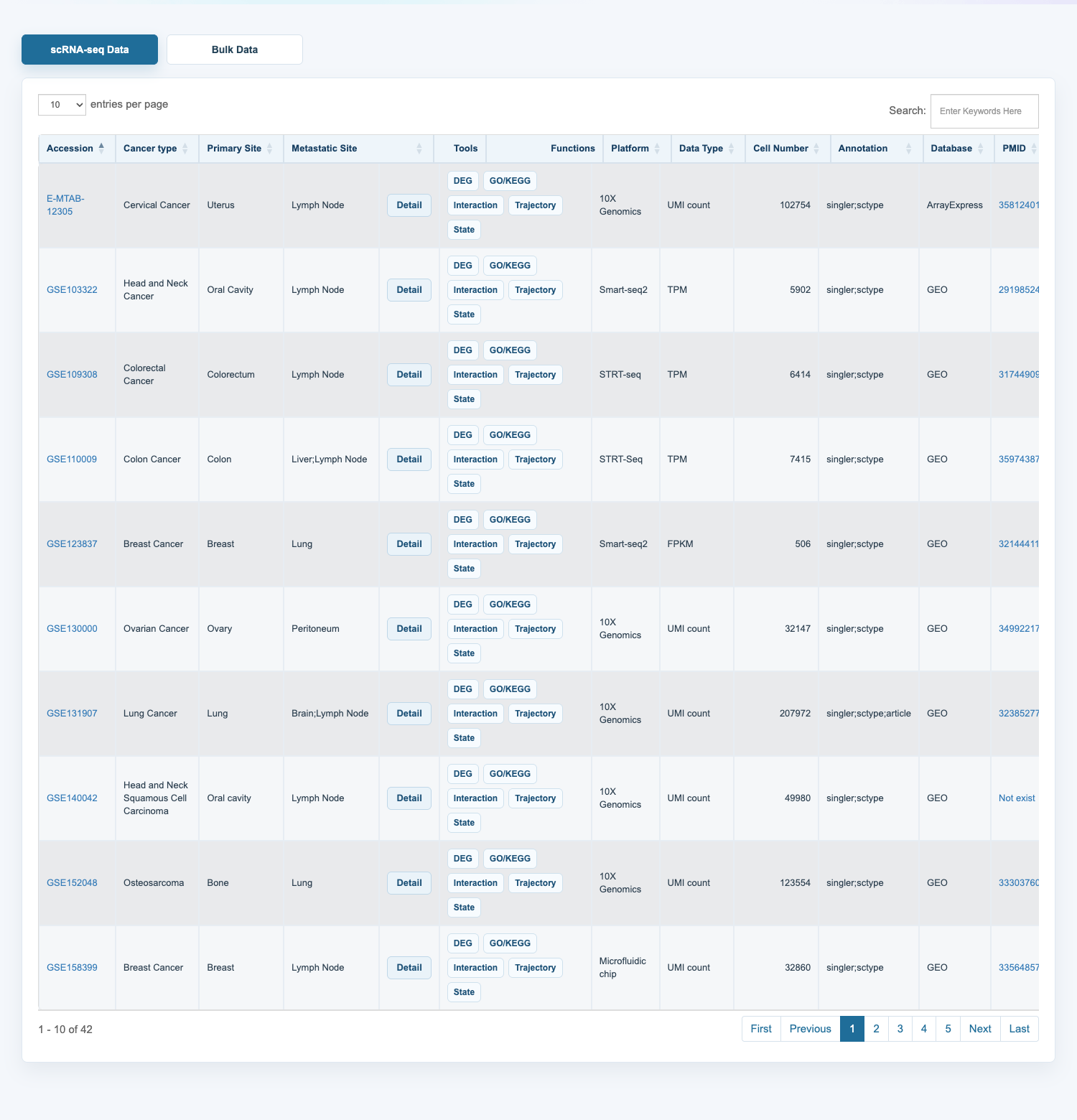
Use the tissue overview or Search box on the Home page to find datasets. The Statistics page summarizes the collection, and the Download page lists individual study records.
On the Download page, choose scRNA-seq Data or Bulk Data and filter the table using Search. Follow an accession or PMID link to inspect the source study. Select Detail to open a dataset exploration module, or select an available file link to download data or analysis results. File availability varies by study; consult the accompanying documentation before reuse.
Q3. How do I explore a dataset's analysis results?
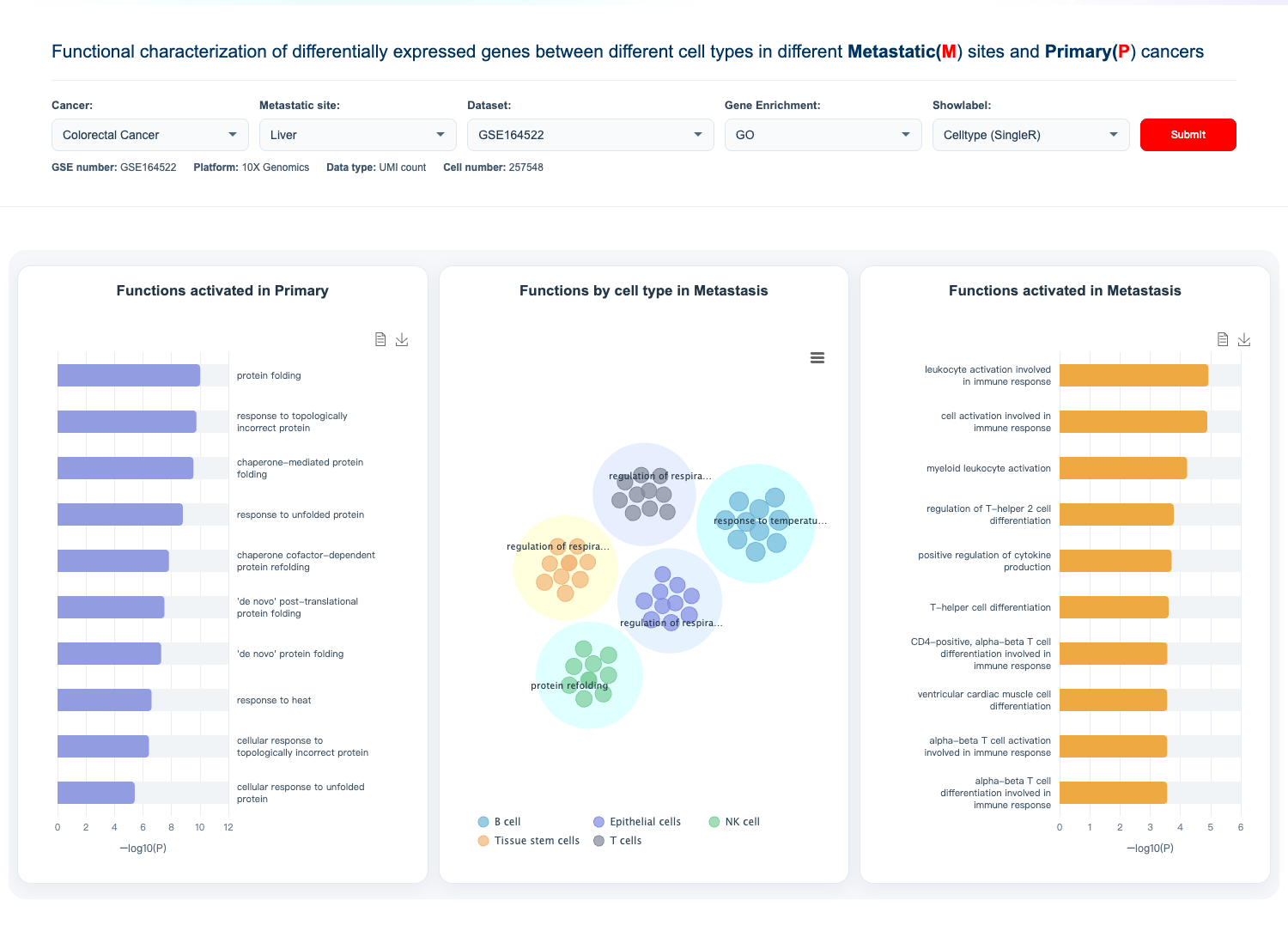
For example, open Functional Characteristics under scRNA-seq Data Tools. Select the cancer type, metastatic site, and dataset accession, choose GO or KEGG, and click Submit to display the corresponding precomputed enrichment results.
After submitting a dataset, use Showlabel to choose an available cell annotation and update the displayed results. Options may include SingleR, scType, or the original study annotation, depending on the dataset. Chart tooltips show result details, and chart export controls allow figures to be saved where supported.
Use the Download page to obtain available analysis files. These precomputed results support exploration; downstream comparisons should account for the original sample design, processing methods, and annotation choices.
Q4. How can I contact the P2M.db team?
If you have any question or any suggestion/comment, please feel free to contact us using the following methods:
Tel: +86 18645000650
E-mail: chaohanxu@hrbmu.edu.cn
Address: 194 Xuefu Road, Harbin 150081, CHINA